Simplifying the payroll setup experience
How might we simplify the payroll setup process and direct users to key payoffs?
New payroll customers were stalling before they ever paid their team
of customers got through the crucial tasks to complete their setup in their first 3 months.
reached a key payoff moment, like paying their team.
As a Scrum team, we knew the first-time experience of setting up payroll for a business needed to improve. I partnered closely with the Data Science team to pinpoint the drop-off points for each SKU.
Let customers feel the value before the hard part
End-to-end audit
We audited the full setup experience and mapped it against drop-off rates.
Payoffs up front
We decided to deliver the benefit of the product before the complex setup steps were completed.
Mini-payoffs per plan
I led the research to identify what those mini-payoffs should look like for each subscription type.
Mini-payoffs gave customers a sense of what using the product was like — and a head start on getting there.
Less work for users, more moments that build confidence
Make payroll setup easy
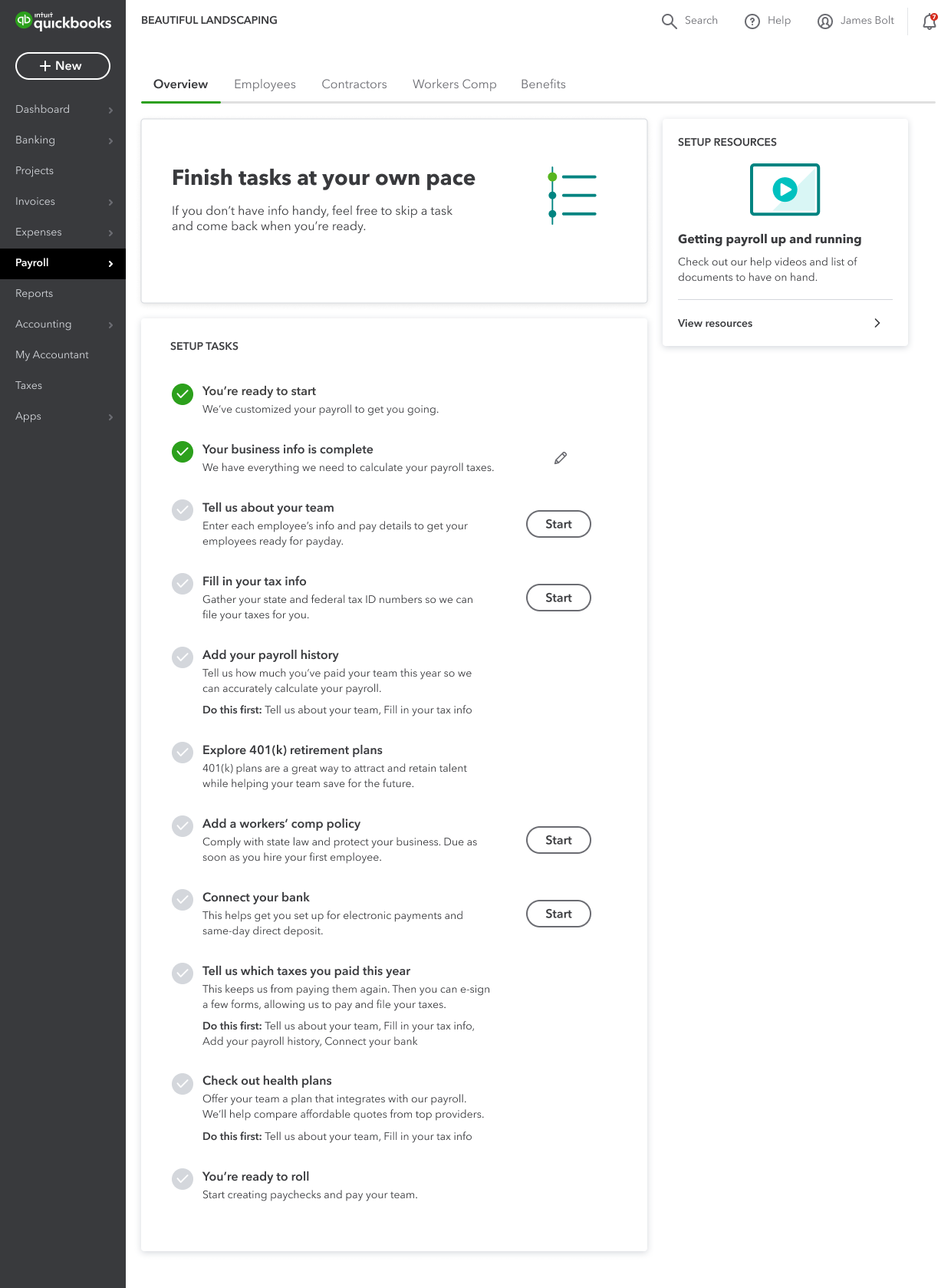
Customers found the old setup longer and more complicated than expected.
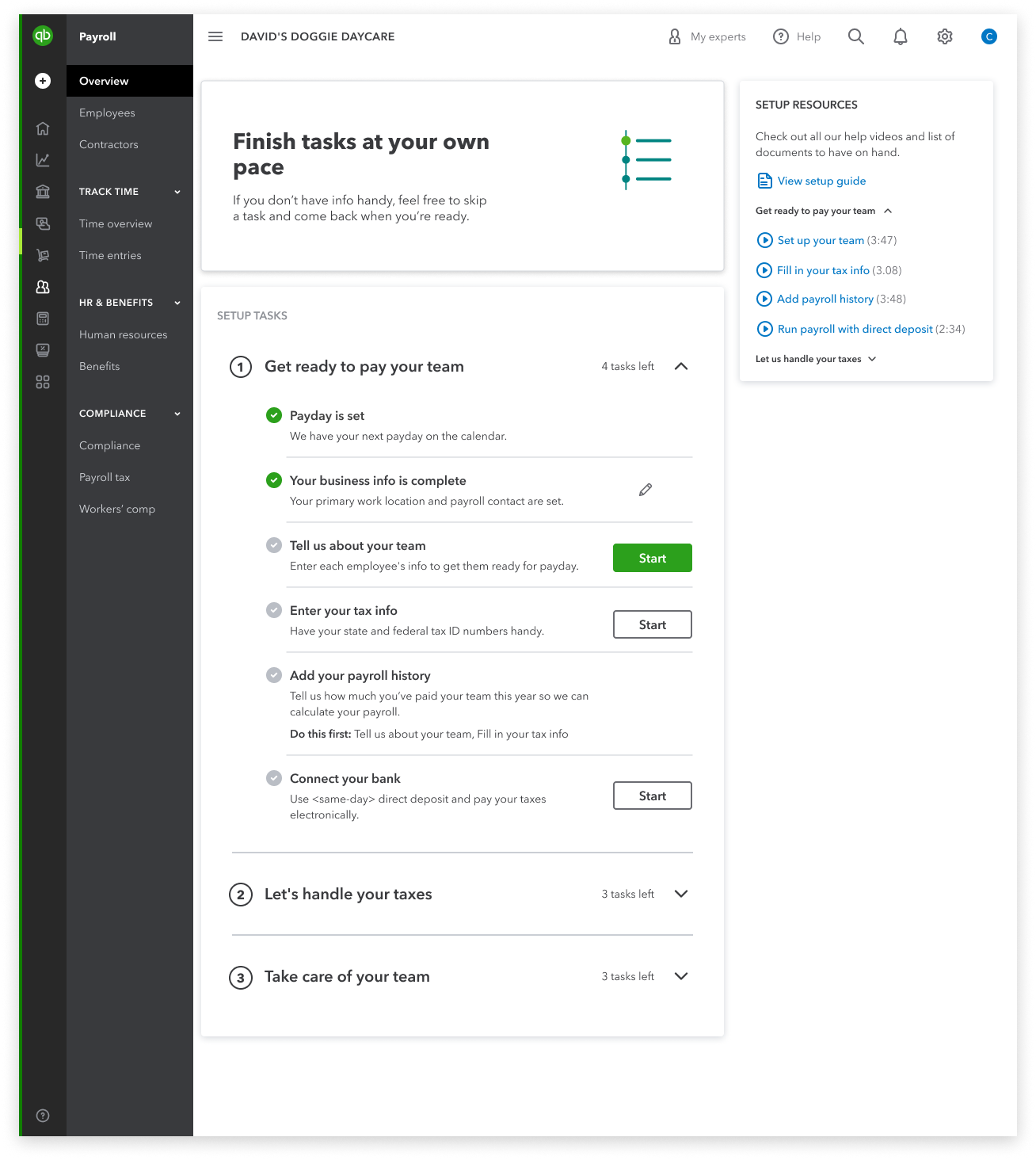
Our research synthesis showed first-time users don’t want a long task list. They want to personalize setup around their business needs and feel confident in it.
Tasks grouped in sets of 2–4, named for what customers get — “Get ready to pay your team” — not what the database needs.
Clear completion states and a visible path to first payroll, so the payoff is on screen from session one.
Shipped as a scalable framework in our design system, so other teams inherit the structure instead of reinventing it.
Let users personalize their setup
One confidence-building moment is seeing when employee information will start flowing in. We added “Invite employees to Workforce” directly to the QuickBooks Online (QBO) setup flow.
Bring expert help into the flow
Elite subscribers can have an expert set up their payroll — but they couldn’t find that option in the product. We gave them the chance to schedule a call with an expert right inside the QBO setup flow.
More customers reached their first paycheck — and got there with more support
First-paycheck rate
Companies inviting their team to Workforce
Expert setup calls scheduled